lltra software.

The AI chatbot cost checklist we wish we had earlier
We built a customer support chatbot for a client last quarter. It used Claude Sonnet 4.6 because it needed to reason over user history, product docs, and account data. It worked beautifully. Then we looked at the bill: $0.15 per request. At 1,000 requests per day, that's $4,500 per month. The chatbot was smarter than most humans on the support team, but it was also more expensive than hiring one.
We spent two weeks optimizing. The result: cost per request dropped by over 94%. Here are the five checks we now run on every AI chatbot before it goes to production.
Before you optimize anything, measure first. You need your current cost per request, your average input and output token counts, and how much of your input is static vs. dynamic. Without these numbers, you're guessing. Run Anthropic's token counting endpoint on 100 real requests. You'll be surprised where the tokens actually go.
Check 1: Flat rate or pay per token?
This was our biggest realization. We were paying $3 per million input tokens and $15 per million output tokens through the API. Every single request. Our chatbot's system prompt alone was 8,000 tokens. With user context and conversation history, most requests hit 15,000 to 25,000 input tokens.
Then we discovered that Claude's subscription plans support programmatic usage. The Max 20x plan costs $200/month and includes substantial capacity through the claude -p flag. For our workload, which would have cost over $2,700/month on the API, the flat subscription covered it entirely.
Monthly cost: API vs. Max 20x (September 2026)
Our chatbot handled about 1,000 requests per day with an average of 20,000 input tokens and 2,000 output tokens per request. At Sonnet 4.6 API rates ($3/$15 per million tokens), that's $60 in input and $30 in output per day. Monthly total: roughly $2,700. The Max 20x plan covers the same workload for $200 flat.
The bigger picture. The numbers from the developer community confirm this pattern. One developer tracked 10 billion tokens over eight months. The API equivalent would have been over $15,000. The Max plan cost $800 total[1]. Another developer's peak month came to $5,623 at API rates, more than four and a half years of a Max 5x subscription.
How much is a Max plan actually worth in API terms? Estimates range from $600 to $1,500 per month for the 20x plan, with some power users reporting up to $5,000 in equivalent API compute for $200 flat[2]. The break-even point sits at roughly 70 million tokens per month. Below that, the API may be cheaper. Above it, you're leaving money on the table.
These numbers reflect September 2026 pricing. Anthropic adjusts rates and plan limits regularly, and they publish multipliers (5x, 20x relative to Pro) rather than exact token quotas. Subscription plans also have rate limits. If you need thousands of concurrent requests, the API is your only option. Check the current pricing before committing.
Check 2: Are you paying full price for the same tokens twice?
Our chatbot sent the same 8,000 token system prompt on every single request. The same instructions, the same persona definition, the same response format rules. We were paying $3 per million tokens to process this identical block of text thousands of times per day. That's $24/day just for the system prompt.
Here's the thing: prompt caching exists, but it's not on by default. You have to explicitly tell the API which parts of your prompt should be cached. Without that flag, every request processes your entire prompt from scratch, even if it's identical to the last thousand requests.
How it works. You add a cache_control field to the content blocks that stay the same across requests. Anthropic then caches everything up to that breakpoint. The first request pays a 25% premium for the cache write. Every subsequent request that starts with the same prefix pays only 10% of the normal price for those cached tokens. On Sonnet 4.6, that means $0.30 per million cached tokens instead of $3.00.
There are two ways to set it up. The simple way is "automatic caching," where you set a single top-level cache_control flag and Anthropic decides where to place breakpoints as conversations grow. The precise way is placing explicit breakpoints on individual content blocks. For chatbots with a large, stable system prompt, automatic caching is the easiest starting point.
The cache lasts 5 minutes and resets its timer on every hit. For a chatbot handling steady traffic, the cache essentially never expires. For our chatbot with requests every few seconds, the cache stayed warm around the clock.
Our savings. About 60% of our input tokens were cacheable (system prompt plus static context). Caching cut our daily input cost from $60 to roughly $36. Over a month, that's $720 saved on a single optimization.
We made one expensive mistake early on. We included a timestamp in our system prompt for "current time awareness." That single line changed on every request and invalidated the entire cache. Moving the timestamp into the user message saved us hundreds of dollars per month. Any dynamic content in your cached prefix, timestamps, request IDs, session tokens, will break the cache silently. You won't get an error. You'll just get a bill.
The broader context. Anthropic's own documentation calls prompt caching the single highest-leverage cost optimization for API workloads[3]. Cache hit rates in production range from 30% to 98% depending on traffic patterns. ProjectDiscovery, a security tools company, documented a 59% cost reduction from caching alone, with savings climbing to 70% after optimization[4].
Check 3: Are your tools costing more than they save?
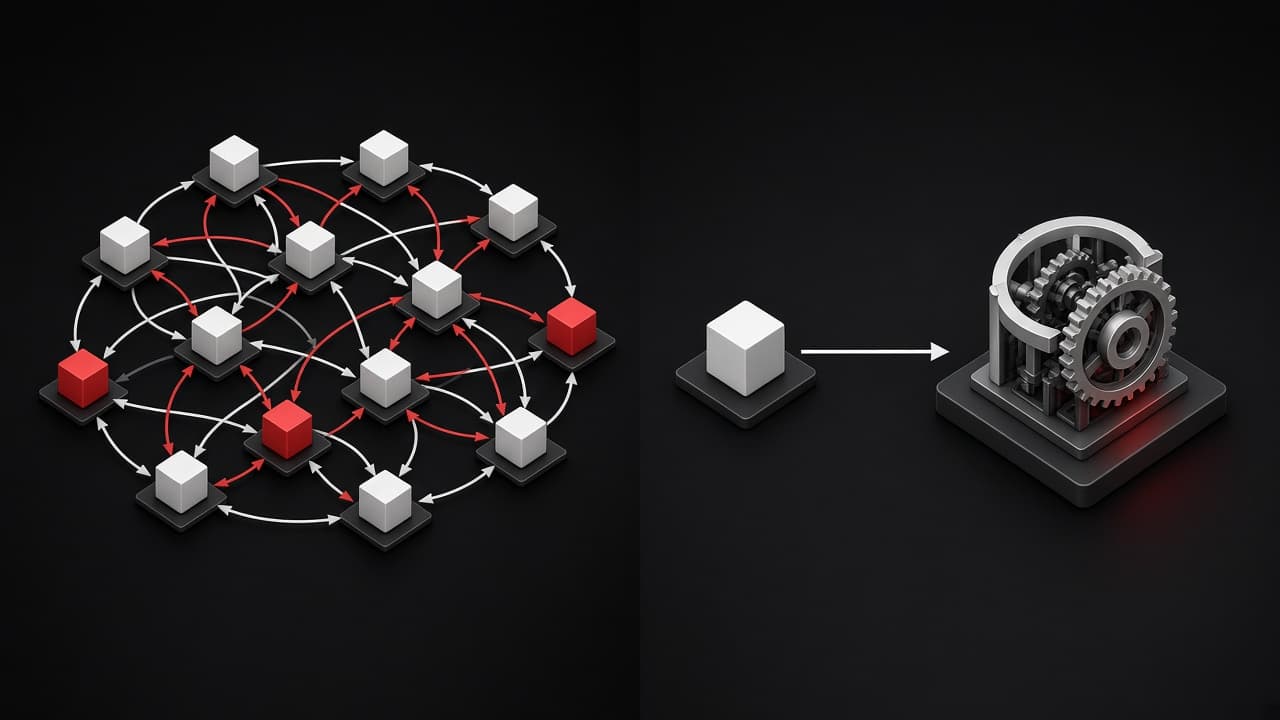
We started with MCP (Model Context Protocol) tools for everything. User lookup? MCP tool. Product search? MCP tool. Order history? MCP tool. It felt clean and modular. Then we counted the tokens.
The cost problem with tools has three layers.
Layer 1: Tool definitions eat tokens. Every tool schema gets sent with every request, regardless of whether the model uses it. Our six tool definitions consumed about 3,000 tokens per request. That's 3,000 tokens you pay for even when the user asks "What are your business hours?" and no tool gets called.
Layer 2: Output tokens are expensive. When the model decides to call a tool, it generates a structured JSON output with the tool name and parameters. Output tokens cost 5x more than input tokens ($15 vs. $3 per million on Sonnet). Each tool call generates 100 to 300 output tokens just for the call itself.
Layer 3: Round trips multiply your context. This is the part that surprised us. After each tool call, the entire conversation history, including the system prompt, gets sent back to the model along with the tool result. The model doesn't just see the tool result in isolation. It reprocesses everything from the beginning.
Think about what happens when the model calls two tools in sequence. On the first turn, it processes 10,000 input tokens (system prompt plus user message). It decides to call Tool A. Now the API sends back the entire conversation plus the tool result: 11,200 input tokens. The model calls Tool B. Another round trip: 12,200 input tokens. By the time it generates a final answer, you've paid for 33,400 input tokens total. You paid for your system prompt three times.
Input tokens processed: tools vs. pre-fetched context
What we did. We pre-fetched the data we knew the chatbot would need (user profile, recent orders, relevant FAQ entries) and injected it directly into the prompt. Total overhead dropped from about 7,000 tokens to 4,000 per request. No extra round trips. No wasted tool definitions.
When tools still make sense. If your chatbot handles wildly different query types and only needs specific data 20% of the time, tools are the right choice. You avoid sending unused context on 80% of requests. But if most requests need the same data anyway, just put it in the prompt.
Track which tools get called and how often. If a tool fires on more than 70% of requests, replace it with pre-fetched context. If it fires on less than 20%, keep it as a tool. Between 20% and 70%, test both approaches and measure the actual token cost.
Check 4: Are you using the right model for every request?
Not every question needs Sonnet. "What are your business hours?" does not require the same reasoning power as "Compare my last three orders and recommend which subscription plan fits my usage pattern."
What we did. We built a simple two tier routing system. A keyword check catches the obvious simple questions ("business hours", "return policy", "shipping", "password reset") without any AI call at all. For ambiguous questions, a single Haiku 4.5 call ($1/$5 per million tokens) with a 10 token response classifies the question as simple or complex. Simple questions go to Haiku, complex ones go to Sonnet.
About 40% of our incoming questions were simple enough for Haiku. That's 40% of requests at one third the cost. The classification overhead is negligible: a short prompt and a one word answer. Users didn't notice any quality difference on simple questions, but responses actually got faster because Haiku is quicker than Sonnet.
The general principle. Model routing is standard practice in production AI systems now. The idea is the same as using different vehicle sizes for different deliveries. You don't send a truck to deliver a letter. Most providers offer at least three model tiers (Anthropic: Haiku, Sonnet, Opus), and the price difference between tiers is 3x to 15x. Even a crude routing system that catches the obvious cases saves real money.
The classification step costs almost nothing because it only needs a short prompt and a one word answer. But it saves you from running your most expensive model on questions that a lightweight model handles just as well. The key is being honest about where the boundary is. Route too aggressively and users notice quality drops. Route too conservatively and you're not saving anything.
Check 5: Is your conversation history growing unchecked?
This one crept up on us. The chatbot worked great for the first few messages. By message ten, costs had quietly tripled. The reason: every turn in a conversation sends the entire history back to the model. Message one costs 10K tokens. Message five costs 30K. Message fifteen costs 80K.
What was happening. Most chatbot conversations follow a pattern. The first three to four messages contain the actual problem. Everything after that is clarification and follow-up. But the model keeps reprocessing the early messages on every single turn. By the end of a long conversation, you're paying for the opening "Hi, I need help with my order" fifteen times.
What we did. We implemented two strategies. First, a sliding window that keeps only the last six messages in full detail and summarizes older ones into a compact paragraph. Second, a hard token budget: if the conversation history exceeds 30,000 tokens, the oldest exchanges get summarized automatically. The user doesn't notice because the summary preserves the key context. The bill notices immediately.
Conversation management is not just a cost optimization. Research from 2025 showed that long, irrelevant context actually degrades model performance. A clean 10K context with the right information produces better answers than a bloated 80K context full of resolved sub-questions. You save money and get better results at the same time.
The general rule. Any chatbot that supports multi-turn conversations needs a context management strategy. The naive approach (send everything every time) works for demos but not for production[6]. Decide early how many turns you keep in full, when you summarize, and what your maximum context budget is. These are architecture decisions that are painful to retrofit.
The full checklist
Print this. Pin it next to your monitor. Check every box before you ship an AI chatbot to production.
We applied all five checks to our client's chatbot. The per-request cost went from $0.15 to under $0.01. The answer quality stayed the same. Users noticed one difference: simple questions got answered faster.
One more thing. If your chatbot also handles background tasks like nightly summaries, ticket categorization, or conversation analytics, look into Anthropic's Batch API. It offers a flat 50% discount for requests that don't need real-time responses, and it stacks with prompt caching[5]. We moved all our overnight analytics to batch processing and saved another $400/month on top of the five checks above.
What we'd do differently next time
We'd run this checklist before writing a single line of chatbot code. The architecture decisions you make early, which model, tools vs. context, caching strategy, determine your cost structure. Retrofitting caching into a system that wasn't designed for it is painful. We spent a full week refactoring our prompt structure just to make the static prefix cacheable.
The AI industry spent $8.4 billion on LLM API calls in the first half of 2025[7]. A significant chunk of that was probably wasted on un-cached prompts, unnecessary tool calls, and oversized models answering simple questions.
If you're building an AI chatbot and the per-request cost makes you nervous, reach out. We've made these mistakes so you don't have to.
Sources
- [1]ksred (2026). Claude Code Pricing Guide: Which Plan Saves You Money. Developer usage data: 10B tokens over 8 months
- [2]Finout (2026). Claude Code Pricing 2026: Complete Plans & Cost Guide. Max 20x break-even analysis vs API pricing
- [3]Anthropic (2025). Prompt caching with Claude. Official documentation and best practices
- [4]ProjectDiscovery (2025). How We Cut LLM Costs by 59% With Prompt Caching. Production data: 9.8B tokens served from cache
- [5]Anthropic (2025). Batch processing. 50% cost reduction for async workloads
- [6]Liu et al. (2024). Lost in the Middle: How Language Models Use Long Contexts. Stanford/UC Berkeley research on context window performance degradation
- [7]Menlo Ventures (2025). 2025 Mid-Year LLM Market Update: Foundation Model Landscape + Economics. Enterprise LLM spending survey, July 2025